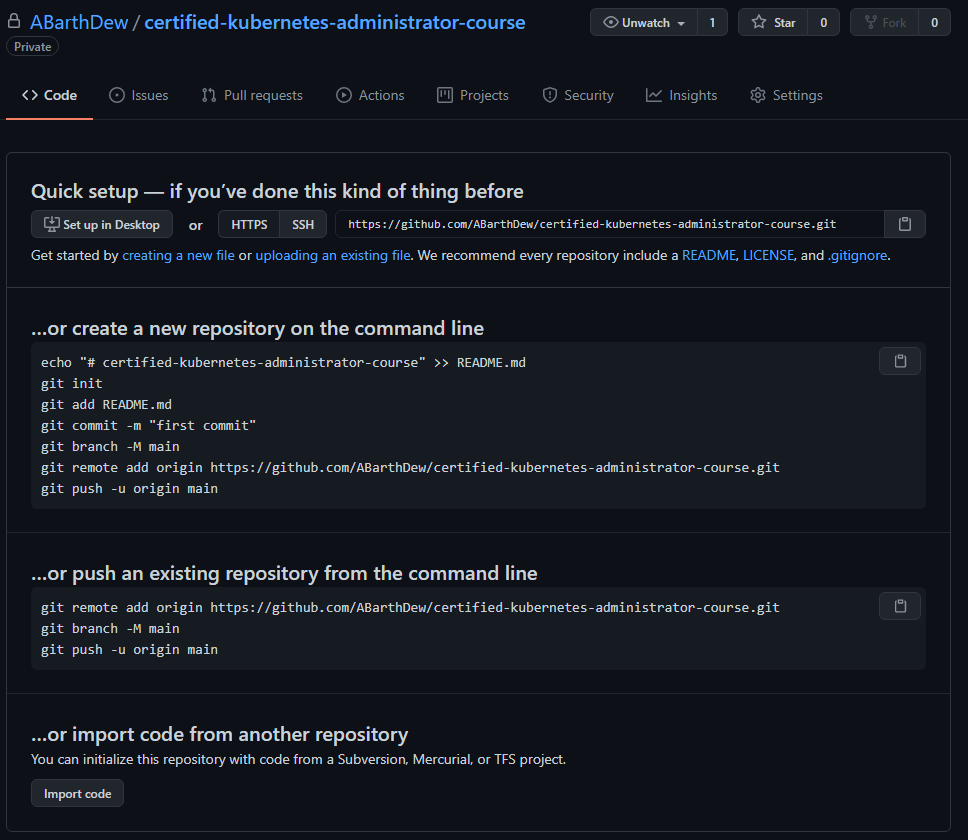
gitHub → New Repository 생성 후 로컬 저장소에서 git 올리기 ✅ git bash, gitHub, repository(name: test0)
🔰 git 리파지토리에서 아무런 작업 없이 바로 clone 받아서 올리기 1
git clone -> git add, commit -> ( git branch -M "name" ) -> git push
1
$ cd C:\U sers\a dmin\D ownloads\N AVER WORKS
1
$ git clone https://github.com/ABarthDew/test0.git
1
2
$ git config --global user.email "you@example.com"
$ git config --global user.name "Your Name"
1
2
$ git add *
$ git commit -m "test commit"
git branch가 생성되지 않은 상태이므로 기본 master만 존재하는 상태니까 master에 올림 1
2
3
4
5
6
7
8
9
10
11
12
13
$ git push origin main
error: src refspec main does not match any
error: failed to push some refs to 'https://github.com/ABarthDew/test0.git'
$ git push origin master
Enumerating objects: 3, done .
Counting objects: 100% ( 3/3) , done .
Delta compression using up to 16 threads
Compressing objects: 100% ( 2/2) , done .
Writing objects: 100% ( 3/3) , 230 bytes | 230.00 KiB/s, done .
Total 3 ( delta 0) , reused 0 ( delta 0) , pack-reused 0
To https://github.com/ABarthDew/test0.git
* [ new branch] master -> master
❓ master 브랜치가 아닌 다른 브랜치에 올리고 싶다면?
1
2
3
4
5
6
7
8
9
$ git branch -M main
$ git push origin main
Enumerating objects: 3, done .
Counting objects: 100% ( 3/3) , done .
Writing objects: 100% ( 3/3) , 209 bytes | 209.00 KiB/s, done .
Total 3 ( delta 0) , reused 0 ( delta 0) , pack-reused 0
To https://github.com/ABarthDew/test0.git
* [ new branch] main -> main
🔰 git 리파지토리에서 아무런 작업 없이 바로 remote 만들어서 올리기 1
git add, commit -> git remote add -> ( git branch -M "name" ) -> git push
1
2
$ mkdir test0
$ cd test0/
1
2
$ git init
Initialized empty Git repository in C:/Users/admin/Desktop/test0/.git/
1
2
$ git add *
$ git commit -m "test1"
1
$ git remote add origin https://github.com/ABarthDew/test0.git
1
2
3
$ git remote -v
origin https://github.com/ABarthDew/test0.git ( fetch)
origin https://github.com/ABarthDew/test0.git ( push)
1
2
3
4
5
6
7
8
9
10
11
$ git push origin kskim
error: src refspec kskim does not match any
error: failed to push some refs to 'https://github.com/ABarthDew/test0.git'
$ git push origin master
Enumerating objects: 3, done .
Counting objects: 100% ( 3/3) , done .
Writing objects: 100% ( 3/3) , 209 bytes | 209.00 KiB/s, done .
Total 3 ( delta 0) , reused 0 ( delta 0) , pack-reused 0
To https://github.com/ABarthDew/test0.git
* [ new branch] master -> master
❓ master 브랜치가 아닌 다른 브랜치에 올리고 싶다면?
1
2
3
4
5
6
7
8
9
$ git branch -M main
$ git push origin main
Enumerating objects: 3, done .
Counting objects: 100% ( 3/3) , done .
Writing objects: 100% ( 3/3) , 209 bytes | 209.00 KiB/s, done .
Total 3 ( delta 0) , reused 0 ( delta 0) , pack-reused 0
To https://github.com/ABarthDew/test0.git
* [ new branch] main -> main
🔰 git 리파지토리에 README.md 파일 생성 후 로컬 저장소에서 pull 한 다음 작업물 올리기 1
2
3
admin@DESKTOP-OIDJ0VO MINGW64 ~/Desktop/test0
$ git init
Initialized empty Git repository in C:/Users/admin/Desktop/test0/.git/
1
2
3
4
5
6
7
8
admin@DESKTOP-OIDJ0VO MINGW64 ~/Desktop/test0 ( master)
$ git pull https://github.com/ABarthDew/test0.git
remote: Enumerating objects: 3, done .
remote: Counting objects: 100% ( 3/3) , done .
remote: Total 3 ( delta 0) , reused 3 ( delta 0) , pack-reused 0
Unpacking objects: 100% ( 3/3) , 188 bytes | 26.00 KiB/s, done .
From https://github.com/ABarthDew/test0
* branch HEAD -> FETCH_HEAD
1
2
admin@DESKTOP-OIDJ0VO MINGW64 ~/Desktop/test0 ( master)
$ cat > test2.txt
1
2
3
4
5
6
7
admin@DESKTOP-OIDJ0VO MINGW64 ~/Desktop/test0 ( master)
$ git remote add kskim https://github.com/ABarthDew/test0.git
admin@DESKTOP-OIDJ0VO MINGW64 ~/Desktop/test0 ( master)
$ git remote -v
kskim https://github.com/ABarthDew/test0.git ( fetch)
kskim https://github.com/ABarthDew/test0.git ( push)
이미 있는 브랜치(master2)를 바라보도록 함 1
2
admin@DESKTOP-OIDJ0VO MINGW64 ~/Desktop/test0 ( master)
$ git branch -M master2
1
2
3
4
5
6
7
8
9
10
admin@DESKTOP-OIDJ0VO MINGW64 ~/Desktop/test0 ( ** master2** )
$ git push kskim master2
Enumerating objects: 3, done .
Counting objects: 100% ( 3/3) , done .
Delta compression using up to 16 threads
Compressing objects: 100% ( 2/2) , done .
Writing objects: 100% ( 2/2) , 236 bytes | 236.00 KiB/s, done .
Total 2 ( delta 0) , reused 0 ( delta 0) , pack-reused 0
To https://github.com/ABarthDew/test0.git
a032299..71a29ca master2 -> master2
❓ 다른 브랜치에 올린 뒤 pull request 하고 싶다면? 1
2
admin@DESKTOP-OIDJ0VO MINGW64 ~/Desktop/test0 ( master2)
$ git branch main2
git push → gitHub 리파지토리에서 pull request 수행 1
2
3
4
5
6
7
8
9
10
11
12
13
14
15
admin@DESKTOP-OIDJ0VO MINGW64 ~/Desktop/test0 ( master2)
$ git push kskim main2
Enumerating objects: 3, done .
Counting objects: 100% ( 3/3) , done .
Delta compression using up to 16 threads
Compressing objects: 100% ( 2/2) , done .
Writing objects: 100% ( 2/2) , 224 bytes | 224.00 KiB/s, done .
Total 2 ( delta 1) , reused 0 ( delta 0) , pack-reused 0
remote: Resolving deltas: 100% ( 1/1) , completed with 1 local object.
remote:
remote: Create a pull request for 'main2' on GitHub by visiting:
remote: https://github.com/ABarthDew/test0/pull/new/main2
remote:
To https://github.com/ABarthDew/test0.git
* [ new branch] main2 -> main2
💡 **remote : kskim, branch : master2, main2** git head가 바라보는 branch 변경(main2 → master2) 1
2
admin@DESKTOP-OIDJ0VO MINGW64 ~/Desktop/test0 ( main2)
$ git branch -m master2
1
2
3
4
5
6
7
8
9
10
11
12
13
14
15
16
admin@DESKTOP-OIDJ0VO MINGW64 ~/Desktop/test0 ( master2)
$ git push kskim master2
To https://github.com/ABarthDew/test0.git
! [ rejected] master2 -> master2 ( non-fast-forward)
error: failed to push some refs to 'https://github.com/ABarthDew/test0.git'
hint: Updates were rejected because the tip of your current branch is behind
hint: its remote counterpart. Integrate the remote changes ( e.g.
hint: 'git pull ...' ) before pushing again.
hint: See the 'Note about fast-forwards' in 'git push --help' for details.
admin@DESKTOP-OIDJ0VO MINGW64 ~/Desktop/test0 ( master2)
$ git pull kskim master2
From https://github.com/ABarthDew/test0
* branch master2 -> FETCH_HEAD
* [ new branch] master2 -> kskim/master2
fatal: refusing to merge unrelated histories
—allow-unrelated-histories 1
2
3
4
5
admin@DESKTOP-OIDJ0VO MINGW64 ~/Desktop/test0 ( master2)
$ git pull kskim master2 --allow-unrelated-histories
From https://github.com/ABarthDew/test0
* branch master2 -> FETCH_HEAD
Merge made by the 'recursive' strategy.
1
2
3
admin@DESKTOP-OIDJ0VO MINGW64 ~/Desktop/test0 ( master2)
$ git branch -v
* master2 2d5fd9d Merge branch 'master2' of https://github.com/ABarthDew/test0 into master2
1
2
3
4
5
6
7
8
9
10
11
admin@DESKTOP-OIDJ0VO MINGW64 ~/Desktop/test0 ( master2)
$ git push kskim master2
Enumerating objects: 4, done .
Counting objects: 100% ( 4/4) , done .
Delta compression using up to 16 threads
Compressing objects: 100% ( 3/3) , done .
Writing objects: 100% ( 3/3) , 357 bytes | 357.00 KiB/s, done .
Total 3 ( delta 2) , reused 0 ( delta 0) , pack-reused 0
remote: Resolving deltas: 100% ( 2/2) , completed with 1 local object.
To https://github.com/ABarthDew/test0.git
01c1c3b..2d5fd9d master2 -> master2
만약, 아래와 같은 오류가 나면 브랜치 간 pull request가 제대로 이루어졌는지 확인할 것
(이 경우, master2, main2 브랜치 간 서로 pull request를 해 주니 제대로 됐음)
1
2
3
admin@DESKTOP-OIDJ0VO MINGW64 ~/Desktop/test0 ( master2)
$ git push kskim master2
fatal: unable to access 'https://github.com/ABarthDew/test0.git/' : Failed to connect to github.com port 443 after 21041 ms: Timed out
이 시점에서 master2가 아닌 main2로 수정사항을 올리려면 1
2
3
4
5
6
7
8
9
// brnach 바꿔주기
admin@DESKTOP-OIDJ0VO MINGW64 ~/Desktop/test0 ( master2)
$ git branch -M main2
admin@DESKTOP-OIDJ0VO MINGW64 ~/Desktop/test0 ( master2)
$ git push kskim main2
Total 0 ( delta 0) , reused 0 ( delta 0) , pack-reused 0
To https://github.com/ABarthDew/test0.git
643a332..2d5fd9d main2 -> main2
🔰 git 에서 이미 내용과 브랜치가 존재하는 Repository를 pull 받을 때 💡 **branch : master2(✔), main2, master, test** 1
2
3
4
5
6
7
8
9
10
// gitHub의 기본 브랜치 pull
admin@DESKTOP-OIDJ0VO MINGW64 ~/Desktop/test0 ( master)
$ git pull https://github.com/ABarthDew/test0.git
remote: Enumerating objects: 26, done .
remote: Counting objects: 100% ( 26/26) , done .
remote: Compressing objects: 100% ( 18/18) , done .
remote: Total 26 ( delta 9) , reused 15 ( delta 4) , pack-reused 0
Unpacking objects: 100% ( 26/26) , 4.10 KiB | 87.00 KiB/s, done .
From https://github.com/ABarthDew/test0
* branch HEAD -> FETCH_HEAD
1
2
3
4
5
6
7
8
9
10
11
12
13
// 브랜치를 바꿔도 git pull을 하면 gitHub의 기본 브랜치 pull
admin@DESKTOP-OIDJ0VO MINGW64 ~/Desktop/test0 ( master)
$ git branch -m main2
admin@DESKTOP-OIDJ0VO MINGW64 ~/Desktop/test0 ( main2)
$ git pull https://github.com/ABarthDew/test0.git
remote: Enumerating objects: 26, done .
remote: Counting objects: 100% ( 26/26) , done .
remote: Compressing objects: 100% ( 18/18) , done .
remote: Total 26 ( delta 9) , reused 15 ( delta 4) , pack-reused 0
Unpacking objects: 100% ( 26/26) , 4.10 KiB | 77.00 KiB/s, done .
From https://github.com/ABarthDew/test0
* branch HEAD -> FETCH_HEAD
git pull [remote_addr] [branch_name]을 하면 해당 브랜치 내용대로 pull 됨. 1
2
3
4
5
6
7
8
9
10
// gitHub의 test 브랜치 pull
admin@DESKTOP-OIDJ0VO MINGW64 ~/Desktop/test0 ( master)
$ git pull https://github.com/ABarthDew/test0.git test
remote: Enumerating objects: 22, done .
remote: Counting objects: 100% ( 22/22) , done .
remote: Compressing objects: 100% ( 14/14) , done .
remote: Total 22 ( delta 8) , reused 17 ( delta 5) , pack-reused 0
Unpacking objects: 100% ( 22/22) , 2.91 KiB | 69.00 KiB/s, done .
From https://github.com/ABarthDew/test0
* branch test -> FETCH_HEAD
1
2
3
4
5
6
7
8
9
10
// gitHub의 main2 브랜치 pull
admin@DESKTOP-OIDJ0VO MINGW64 ~/Desktop/test0 ( master)
$ git pull https://github.com/ABarthDew/test0.git main2
remote: Enumerating objects: 17, done .
remote: Counting objects: 100% ( 17/17) , done .
remote: Compressing objects: 100% ( 12/12) , done .
remote: Total 17 ( delta 5) , reused 12 ( delta 3) , pack-reused 0
Unpacking objects: 100% ( 17/17) , 2.95 KiB | 97.00 KiB/s, done .
From https://github.com/ABarthDew/test0
* branch main2 -> FETCH_HEAD
🔰 브랜치는 로컬 git bash에서 git branch [new_branch_name]으로 생성 가능 1
$ git branch [ new_branch_name]
git branch -M [branch_name] 으로 마스터 브랜치 변경 1
2
$ git branch -M [ branch_name]
$ git push [ remote_name] [ chosen_branch_name]
1
$ git checkout [ branch_name]
자료 참조